Naujausios 3 geriausios aplankų apsaugos programinės įrangos nemokamas atsisiuntimas, skirtas „Windows“.
Folder Protector is folder encryption software for PC to help you password-protect and lock folders from being viewed, copied, deleted and attacked. What's the best Folder Protector software? If you are confused with so many folder lock applications, we have a perfectly compiled list to solve all the issues.
1. Folder Properties
Folder Properties is a free built-in feature of Windows that allows Windows users to encrypt folders without installing any third-party programs. Folder properties are only available for folder encryption and cannot protect individual files.
Free Folder Protector: How to Protect Folders Using Folder Properties
Step 1: Right-click on the target folder and select Properties.

Step 2: Go to General > Click Advanced...

Step 3: Check encrypted content to protect data > OK.

Step 4: Click Apply > OK.

2. 7-Zip
7-Zip is a utility that allows users to extract compressed files as well as create their own compressed files in multiple formats. This free Folder Protector software enables both Windows and Mac users to encrypt and compress files and folders by themselves. 7-Zip also supports strong AES 256-bit encryption, which is undoubtedly one of the best free ways to protect your data.
Free Folder Protector: How to Password Protect Folders Using 7-Zip
Step 1: Install 7-Zip on your computer and right-click on the destination folder, select 7-Zip > Add to Archive.

Step 2: Set encryption settings, including format, compression level, etc.
Step 3: Enter the encryption password and encryption method. Check encrypted filenames if needed. Click OK to confirm.

3. IUWEsoft Password Protect Folder Pro
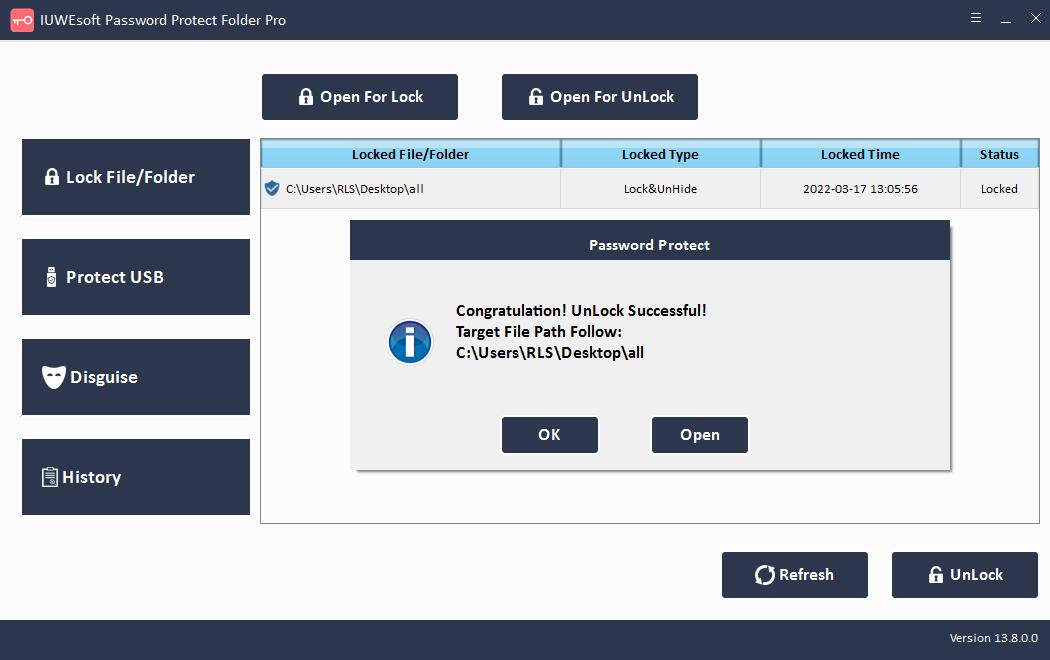
IUWEsoft Password Protect Folder Pro is the best Folder Protector alternatives which can password protect files, folders and drives safe, fast and reliable. It is a complete and mature folder protection tool, suitable for all users. You can lock folders on internal hard drives, flash drives, USB drives, thumb drives, memory cards, and network drives. Additionally, you can hide or disguise folders. The most important thing is that you don't have to pay for forgetting your password. Some free methods may make encryption easier and more convenient, but at the same time, it should be noted that when we forget the password, the encrypted file will not be opened. IUWEsoft Password Protect Folder Pro can assist you to reset your password or restore all encrypted files completely to a specific folder.
How to Protect Folders with Folder Protector Best Alternatives
1 veiksmas: atsisiųskite, įdiekite ir paleiskite geriausią "Folder Protector" alternatyvą – "IUWEsoft Password Protect Folder Pro". Spustelėkite "Užrakinti failą / aplanką", tada spustelėkite mygtuką "Atidaryti užrakinti", kad pasirinktumėte aplanką iš kompiuterio arba išorinio disko.


2 veiksmas: pasirinkite aplankų užrakto tipą (Užrakinti be paslėpto arba Užrakinti su paslėptu), įveskite ir patvirtinkite slaptažodį, tada spustelėkite mygtuką Užrakinti, kad apsaugotumėte jautrų aplanką.


3 veiksmas: kaip panaikinti aplankų apsaugą ir iššifruoti: pagrindinėje sąsajoje pasirinkite užrakintą aplanką, tada spustelėkite mygtuką "Atrakinti", įveskite slaptažodį, kad atrakintumėte aplanką.